Comment boucler sur une étape du workflow pour obtenir la validation de tous les intervenants ?
Fréquemment il est nécessaire d'obtenir la validation de n personnes sur une même étape.
Dans le cas d'une étape Acceptation/Refus ( c'est à dire sans possibilité de modifier l'enregistrement), la validation simple permet de répondre à ce besoin.
Par contre, si les intervenants ont la possibilité de modifier l'enregistrement, il est nécessaire de boucler sur cette étape. Cela peut être effectuer en positionnant une propriété sur l'instance du workflow de la manière illustrée dans l'exemple suivant:
Ce formulaire présente 2 champs (Intervenant1 et Intervenant2) qui contiennent la liste des personnes intervenantes à l'étape
Et utilise le worfklow suivant :
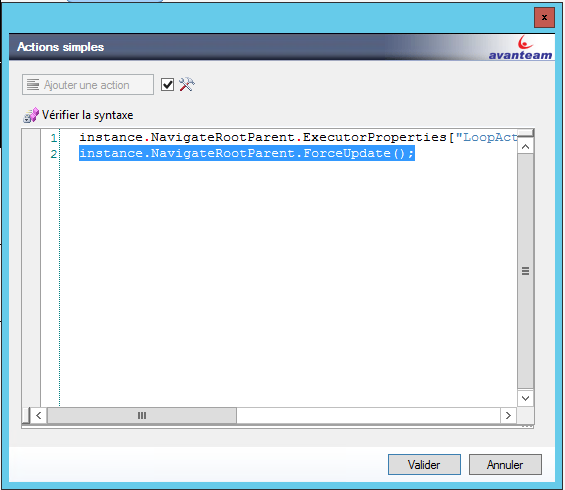
On positionne une variable du worfklow ( LoopActors dans notre exemple )par une action simple dans la transition entre l'étape Création et le premier test.
Dans cet exemple, on concatène les listes de personnes des 2 champs Intervenant1 et Intervenant2.
instance.NavigateRootParent.ExecutorProperties["LoopActors"] = string.Join(";",(string[])document.GetValues("Intervenant1"))+";"+ string.Join(";",(string[])document.GetValues("Intervenant2"));
instance.NavigateRootParent.ForceUpdate();
On distingue 2 cas de figure :
- Envoi de l'enregistrement successivement aux différents intervenants (Etape Série)
- Envoi de l'enregistrement simultanément aux différents intervenants (Etape Parallèle)
Intervenant :
L'étape série utilise l' acteur :
#region usings
using System;
using System.Collections;
using System.Collections.Generic;
using System.Linq;
using System.Text;

using Avanteam.Workflow.ComponentModel;
using Avanteam.Workflow.Runtime;
using Avanteam.Application.DataSource;
using Avanteam.Application.Security;
#endregion

namespace Avanteam.Kernel.Scripting {

    public class CSCode {

        public ICollection<string> Execute( Hashtable parameters ) {

   List<string> ret = new List<String>();

   Instance instance = parameters[  "Instance" ] as Instance;
   string s = (string)(instance.NavigateRootParent.ExecutorProperties["LoopActors"]);
   string[] ar = s.Split(new string[] { ";" }, System.StringSplitOptions.None);
   ret.Add(ar[0]);

            return ret;
        }
    }
}

qui retourne le premier élément de la liste.
Action en sortie d'étape :
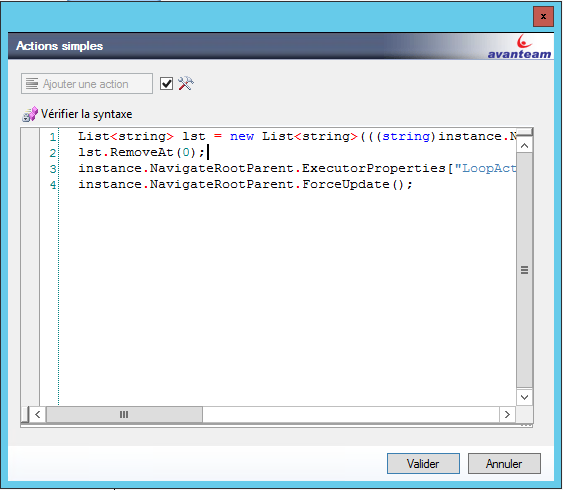
List<string> lst = new List<string>(((string)instance.NavigateRootParent.ExecutorProperties["LoopActors"]).Split(new string[]{";"}, StringSplitOptions.None));

lst.RemoveAt(0);

instance.NavigateRootParent.ExecutorProperties["LoopActors"] = string.Join(";",lst.ToArray());
instance.NavigateRootParent.ForceUpdate();
Cette action retire le premier intervenant de la liste.
Test pour la boucle sur l'étape :
((string)instance.NavigateRootParent.ExecutorProperties["LoopActors"])!=""
On boucle tant qu'il y a des intervenants à traiter.
Utilisation du workflow :
Au lancement, la première personne est intervenant :
La seconde personne est intervenant
Fin du workflow quand toutes les personnes ont validé
Etape Parallèle : Intervenant : L'étape Parallèle utilise l' acteur :
#region usings
using System;
using System.Collections;
using System.Collections.Generic;
using System.Linq;
using System.Text;

using Avanteam.Workflow.ComponentModel;
using Avanteam.Workflow.Runtime;
using Avanteam.Application.DataSource;
using Avanteam.Application.Security;
#endregion

namespace Avanteam.Kernel.Scripting {

    public class CSCode {

        public ICollection<string> Execute( Hashtable parameters ) {

   List<string> ret = new List<String>();

   Instance instance = parameters[  "Instance" ] as Instance;
   string s = (string)(instance.NavigateRootParent.ExecutorProperties["LoopActors"]);
   string[] ar = s.Split(new string[] { ";" }, System.StringSplitOptions.None);
   for(int i = 0 ; i < ar.Length; i++)
   {
    ret.Add(ar[i]);
   }

            return ret;
        }
    }
}
qui retourne l'ensemble des éléments de la liste.
Action en sortie d'étape :
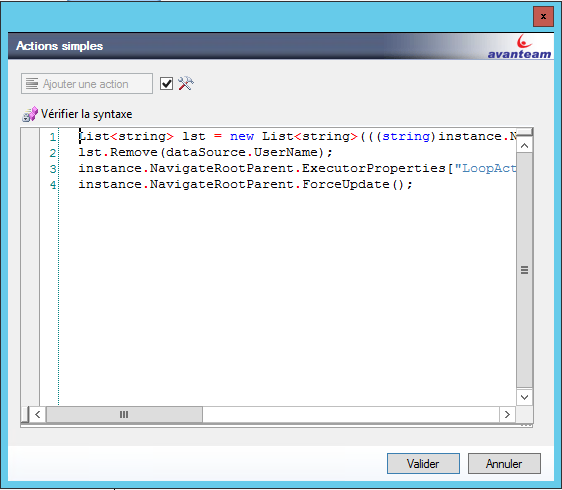
List<string> lst = new List<string>(((string)instance.NavigateRootParent.ExecutorProperties["LoopActors"]).Split(new string[]{";"}, StringSplitOptions.None));

lst.Remove(dataSource.UserName);

instance.NavigateRootParent.ExecutorProperties["LoopActors"] = string.Join(";",lst.ToArray());
instance.NavigateRootParent.ForceUpdate();
Cette action retire de la liste la personne qui vient d'intervenir.
Test pour la boucle sur l'étape :
((string)instance.NavigateRootParent.ExecutorProperties["LoopActors"])!=""
On boucle tant qu'il y a des intervenants à traiter.
Utilisation du workflow :
Au lancement, toutes les personnes sont intervenants
La liste des intervenants se décrémente au fur et à mesure des signatures, pas d'ordre à respecter.
Fin du workflow quand toutes les personnes ont validé