Concepts fondamentaux
Avanteam repose sur trois piliers qu'il est essentiel de comprendre.
Enregistrements
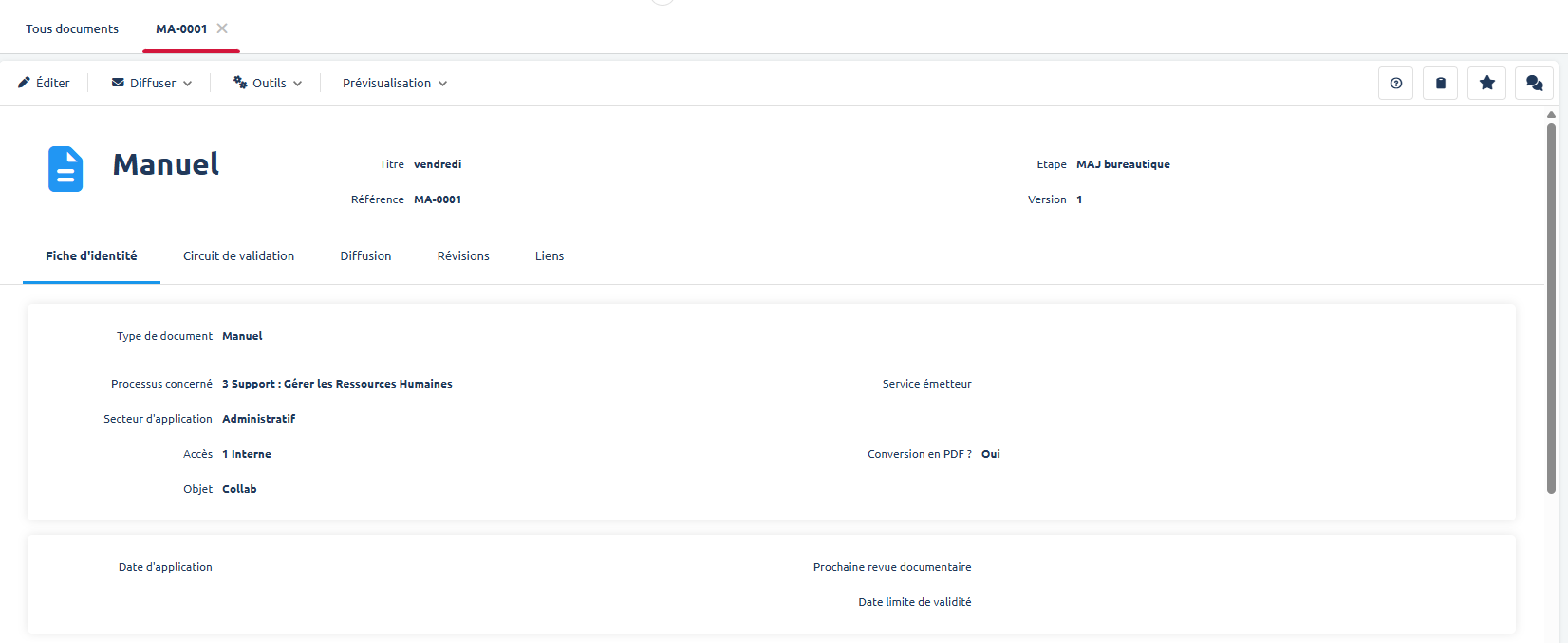
L'Enregistrement représente l'élément que vous traitez (une fiche "Non-Conformité", une "Facture", un "Contrat").
- Il se présente sous forme d'un Formulaire avec des onglets.
- Il contient des champs à saisir (Texte, Date, Liste déroulante), propres au sujet à traiter (ici un document), et peut contenir des pièces jointes que vous retrouverez dans la parte Documents bureautiques.
Workflows (Processus)
Le Workflow est le cycle de vie de l'enregistrement. Il définit "Qui doit faire Quoi et Quand".
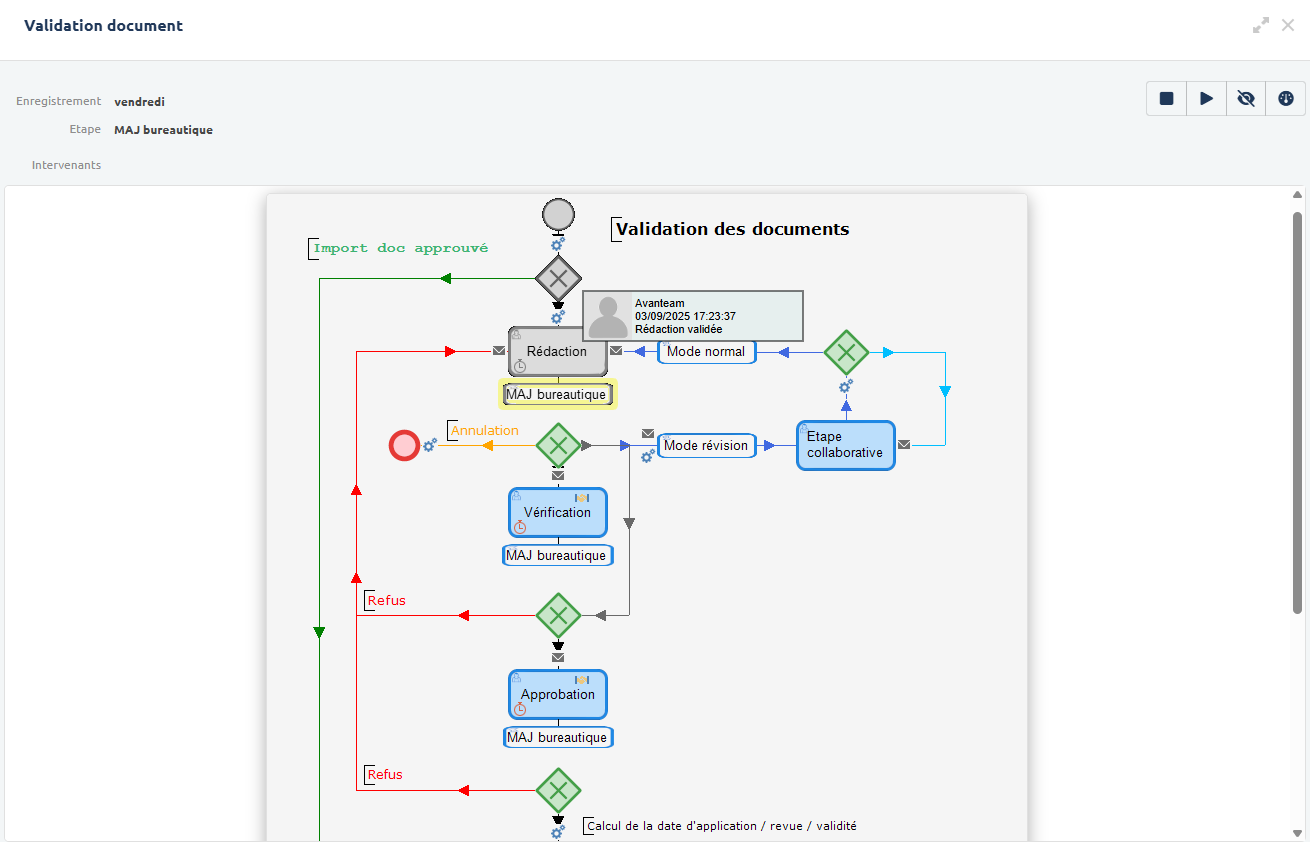
Celui-ci peut être retrouvé dans la partie "Sécurité workflow" de votre enregistrement. Il peut être lu de haut en bas et définit les étapes par lequel l'enregistrement va passer avant d'être clôturé.
Le workflow suit les normes BPMN, on peut retrouver les éléments suivants :
- Ronds verts et rouges : début et fin du workflow
- Flèches : définit les différents trajets possibles entre les éléments du workflow
- Cases bleues : pour chacune des étapes, un utilisateur avec un rôle définit devra réaliser une action (édition de certains champs puis validation de l'étape via un clic sur un bouton d'action).
- Cases blanches : ces étapes sont transparentes pour l'utilisateur, elles correspondent à des actions automatiques faites par l'outil (changement de statut, mise en place du mode Révision de Word...)
- Losanges verts : ces éléments permettent d'orienter l'enregistrement entre plusieurs branches possibles selon des conditions définies au préalable (ex: clic sur un bouton particulier par l'utilisateur ou valeur d'un champ particulier)
Vues
Une Vue est une manière de visualiser un ensemble d'enregistrements. Elle fonctionne comme un tableau classique (façon Excel) avec des colonnes filtrables et triables.
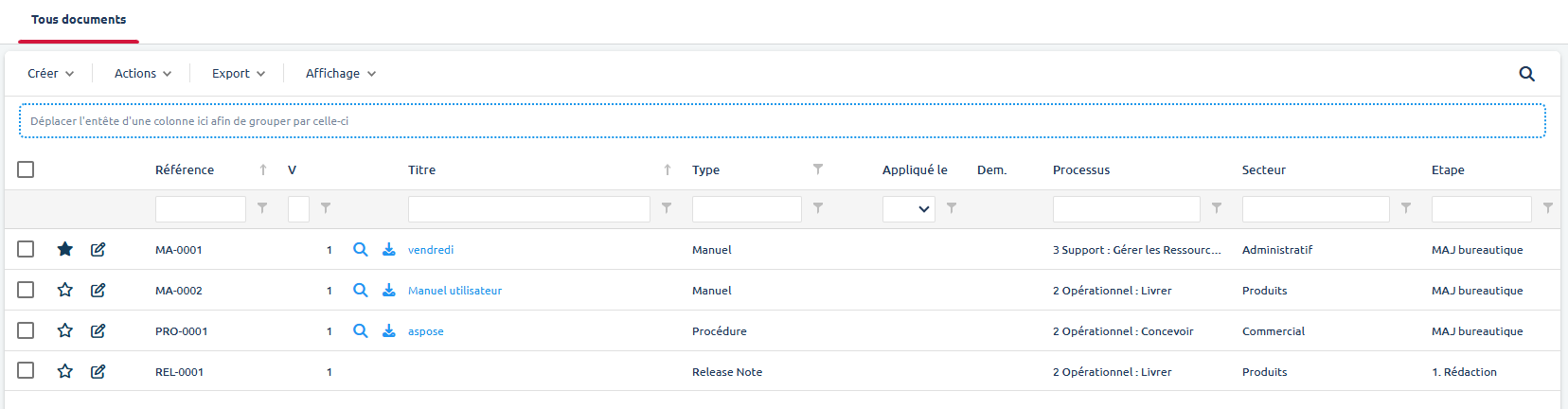
- Actions des vues - depuis une vue, vous pouvez souvent :
- Créer un nouvel enregistrement (Bouton
Créer). - Réaliser de multiples actions : diffuser ou modifier en masse, ajouter des nouvelles colonnes et créer des vues privées (Bouton
Action). - Exporter la vue vers Excel ou PDF (Bouton
Export). - Personnaliser l'affichage via des filtres ou en passant en mode dual view pour afficher les pièces jointes en parallèle de la vue (Bouton
Affichage).
- Créer un nouvel enregistrement (Bouton